Apps, Web & Portals

Your idea.
Easy to use, wherever you are.

A web application, Android app or your own portal: The interface follows the people who should work with it.

Services and project questions in detail

Developed for your company · with a fixed price offer

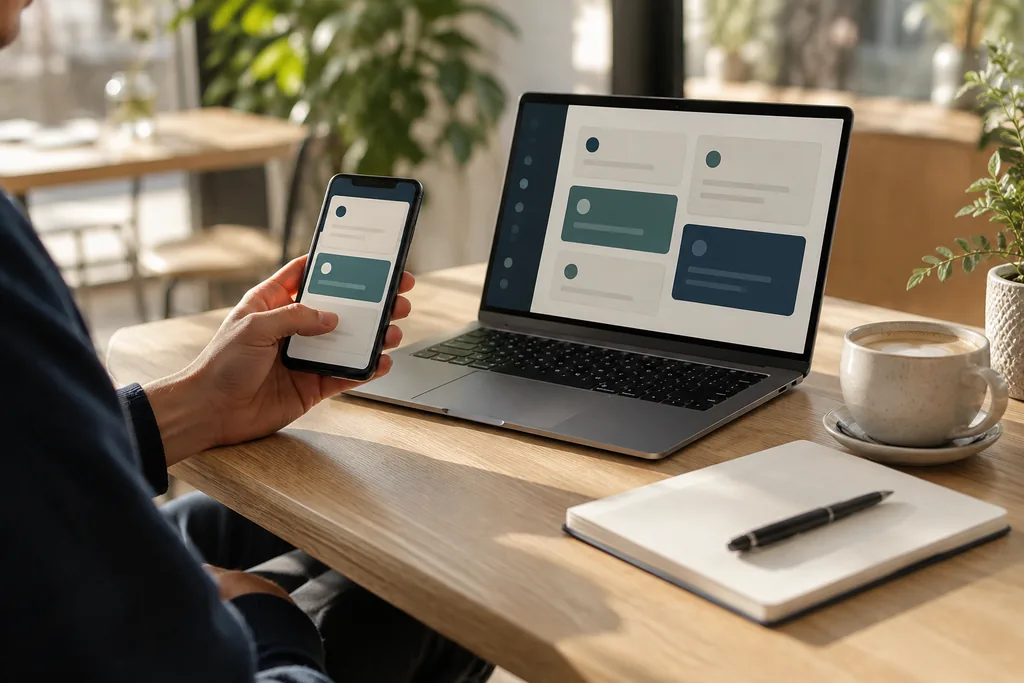
Smartphone and laptop with coordinated task views.
Connected at the desk and on the go.AI-generated illustrative image

Example concept

For your users.
Developed with you.

A prototype could show the most important way through your application. So check early whether functions, texts and operation fit for later use.

  1. 01Understanding

    Get to know users and important tasks.

  2. 02Try it out

    Testing a clear core sequence in the prototype.

  3. 03Extension

    Targeted further development with feedback.

What should your solution do?

Choose an area.
The examples show possible building blocks.

The examples are suggestions for individual development. Functions, data and connections are tailored to your actual needs.

01 / Possible implementation

Web applications and individual enterprise software

A web application connects inputs, overviews and work steps in the browser. It can operate an internal process or an external user group. Before implementation, we clarify roles, devices and data accesses so that the interface is tailored to the actual tasks rather than a general set of functions.

  • Connect inputs, overviews and documents for a specific process.
  • Design interface for office, tablet and smartphone.
  • Plan roles and accesses for different user groups.
Back to overview ↑
02 / Possible implementation

Android apps and mobile applications

For mobile work, short input paths and a clear connection to the respective process count. An Android app can include camera, scans or local capture. Whether data should be collected temporarily without a connection and how later comparisons work is explicitly included in the scope.

  • Capture photos, notes or scans directly on a task.
  • Make simple inputs for on-site use.
  • If necessary, schedule offline capture and later synchronization.
Back to overview ↑
03 / Possible implementation

Websites with individual functions

A form, booking or calculator can turn an informing website into a practical tool. This includes comprehensible input and a meaningful next step. Together, we plan how results are processed and which existing systems can be integrated for this purpose.

  • Take requests via suitable forms in a structured manner.
  • Develop booking methods or calculator according to your rules.
  • Connect results with suitable internal processes.
Back to overview ↑
04 / Possible implementation

Customer and employee portals

A portal bundles selected information for registered customers or employees. Not every person is allowed to see the same processes. We define accesses and visibility and design typical tasks such as status query, document provision or feedback as a coherent way of use.

  • Display your own orders, processes or inquiries clearly.
  • Assign documents and feedback to the correct process.
  • Schedule access rights, login and required notifications.
Back to overview ↑
05 / Possible implementation

Prototypes and MVPs for new business ideas

A prototype makes an idea testable early; an MVP focuses on a usable core. Which form fits depends on the open question. Together we determine the target group, the most important task and acceptance criteria before additional functions increase the scope.

  • Limit the core function and target group together.
  • Implement a concrete way of use as a prototype.
  • Collect feedback and derive the next steps from it.
Back to overview ↑

Services in detail

Web application, Android app or portal: suitable for use.

The choice of application follows the users and their tasks. An internal tool in the workplace presents different requirements than a mobile capture on a construction site or a customer portal. We clarify devices, accesses, required data and the most important way of use before determining the technical form.

From use route to interface

A customer wants to retrieve a status; an employee has to process a process. Both require different views and rights. In the draft, we check which information is needed per step and which inputs can be avoided or made more understandable.

Delivery and operation thinking

The application includes login, updates and troubleshooting. For mobile functions, we also consider connection failures and device change. Hosting, access management and later maintenance are coordinated as separate project components.

Implementation questions

When does a web application fit better than an app?

If the task can be done well in the browser and no special device integration is needed, a web application is a possible way. Required camera functions, offline processes and distribution influence the decision.

What does an MVP include?

An MVP focuses on a usable core sequence for a clearly named target group. We distinguish necessary functions from later expansion stages and agree on which feedback will be used to make the next decision.

Can an application grow gradually?

Yes. For this, basic data, roles and interfaces should be thought through early on. Additional modules can then build on the agreed core instead of generating new, unconnected data stocks.

Technical implementation

Connect interface, devices and data access.

A web application, a portal and an Android app can use the same data, but have different requirements for operation and delivery.

Equipment and connection

Browser, display sizes, camera or scanner influence the implementation. In the case of mobile recording, we clarify which functions are needed without a network and how local inputs are later compared with intermediate changes.

Accounts and visibility

A customer portal requires a clear assignment of people and organizations. Which data an account is allowed to see or change is checked in the server. Registration, invitations and withdrawal of access are part of the concept.

Distribution and further development

Web interface, app and interface must also work together at different versions. We plan deployment, test equipment and error feedback. File uploads require rules for format, size, storage and later access.

Helpful for planning

Typical user tasks, devices and operating systems, desired offline functions and the intended data sources are helpful.

Which of these questions is crucial for your project? Briefly describe your process and the existing systems.

Discuss technical requirements

Built around your existing setup.

Build on what you have

Existing systems and data can be integrated as far as their interfaces and authorizations allow.

Suitable for use

Devices, login, data access and later provision are set for use – internally, mobile or publicly on the web.

With a clear start

Let's start with the core process. The prototype helps to check operation and scope before adding more functions.

What do you want to simplify?

You show me your process. Together we look at which custom solution fits this.

  • What takes up most of your time today?
  • What programs are you already using?
  • What would be a helpful first step?